Google Shopping
Google Shopping feed optimisation: the attributes that actually move results
Shopping ads have no keywords. Google decides which searches your products appear for almost entirely from your product feed. That makes the feed the most important thing in a Shopping account, and the most neglected. These are the attributes worth your time, in order of impact.
 Matthew DaviesCo-Founder, Growtomic
· 5 min read
The short version
- Titles do most of the work. Lead with what people search for, not your internal product name.
- Correct GTINs and brands help Google match your products to searches and to other sellers' listings.
- Custom labels let you bid by margin, bestseller status or season, which the feed doesn't do on its own.
- Test changes on one group of products at a time, against a group you leave alone.
Titles: where most of the gains are
Google uses your title more than any other attribute to decide which searches a product matches. You get up to 150 characters, but only the first part shows on most ads, often around 70 characters depending on the placement. Put the words people search for at the front.
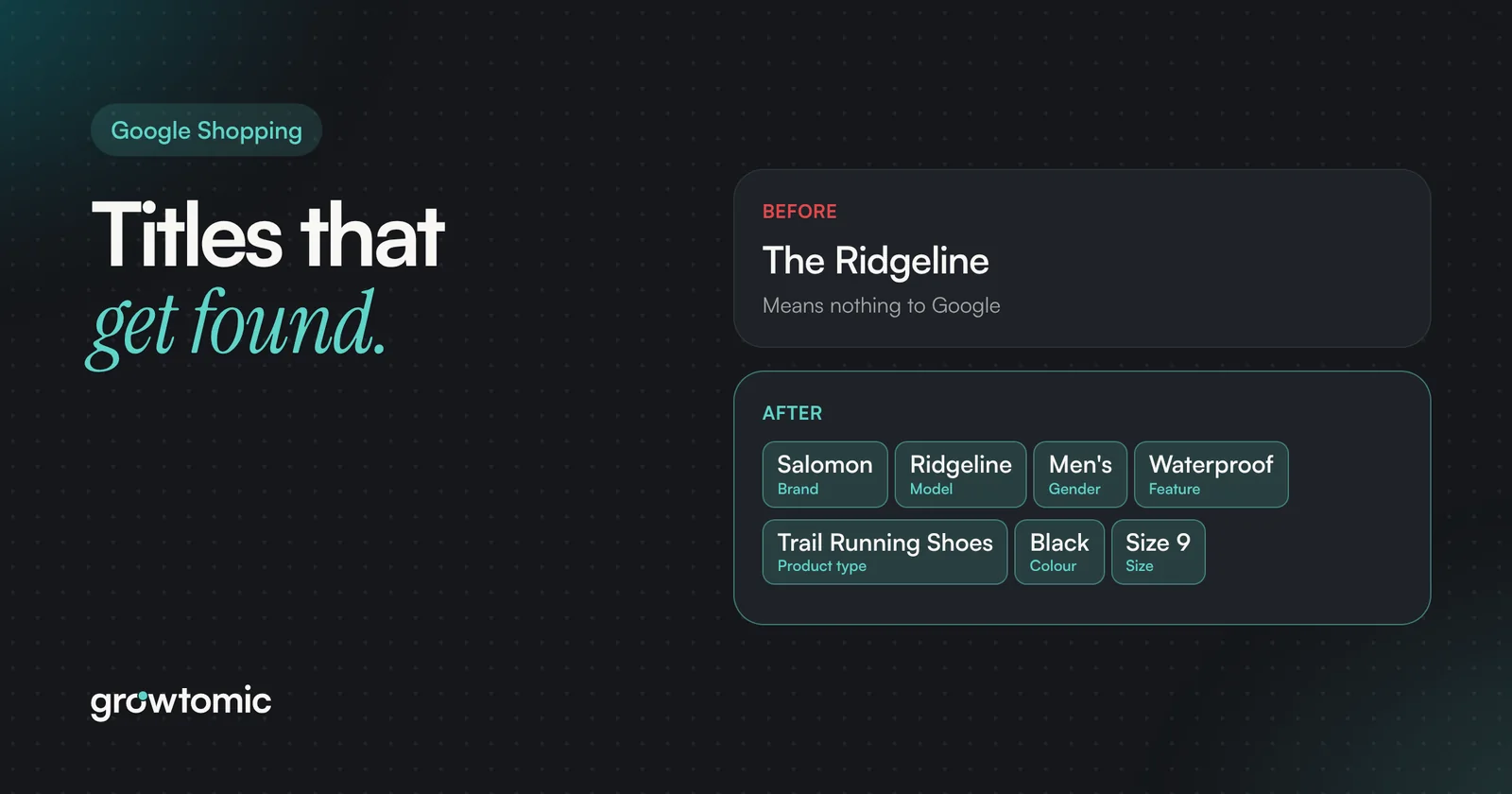
The most common problem is a title that's the product name from the shop, written for someone already on the product page. "The Ridgeline" means nothing to Google. "Salomon Ridgeline Men's Waterproof Trail Running Shoes Black Size 9" matches dozens of real searches.
| Category | Title formula | Example |
|---|---|---|
| Clothing | Brand + Gender + Product type + Key attribute + Colour + Size | Adidas Women's Tiro Track Pants Recycled Polyester Black Size 12 |
| Footwear | Brand + Model + Gender + Product type + Colour + Size | Nike Pegasus 41 Men's Road Running Shoes Blue Size 10 |
| Electronics | Brand + Product line + Model + Key spec + Colour | Sony WH-1000XM5 Wireless Noise Cancelling Headphones Black |
| Home | Brand + Product type + Material + Size + Colour | Habitat Oak Dining Table 6 Seater 180cm Natural |
| Beauty | Brand + Product + Variant or shade + Size | The Ordinary Niacinamide 10% + Zinc 1% Serum 30ml |
A few rules that save trouble:
- Don't add promotional text like "free delivery" or "sale". It breaks Google's policies and wastes space.
- Use the words customers use. If they search "trainers", don't only say "sneakers".
- Include the variant (colour, size, flavour) so each variant matches its own searches.
- Don't stuff keywords. One clear title beats a list of synonyms.
GTIN, brand and MPN
If a product has a manufacturer barcode (GTIN, usually the EAN on UK products), submit it. Google uses it to recognise exactly what you sell, group you with other sellers of the same product, and show richer listings. Products without a correct GTIN often get limited impressions.
- Use the manufacturer's GTIN, not one you've generated.
- Only set
identifier_existsto "no" for products that genuinely don't have one, such as your own-brand or handmade products. - If you make the product yourself, submit your own brand name and an MPN where you have one.
Images
Images decide whether someone clicks once your ad is shown. Google's minimum sizes are 100 × 100 pixels, or 250 × 250 for clothing, but those are floors, not targets. Use large, sharp images.
- Main image: the product on a plain, light background, filling most of the frame.
- No watermarks, promotional text, borders or logos on the main image. These cause disapprovals.
- One image per variant, so the blue version shows a blue product.
- Use
additional_image_linkfor extra angles andlifestyle_image_linkfor in-use photos.
Product type and Google product category
product_type is your own category path, such as "Footwear > Running > Trail". Google doesn't restrict it, so make it consistent and detailed. It's one of the most useful attributes for splitting campaigns and reports.
google_product_category is Google's own taxonomy. Google now assigns one automatically, but setting it yourself avoids mistakes in categories with extra requirements, such as clothing, which needs gender, age group, colour and size.
Price, sale price and availability
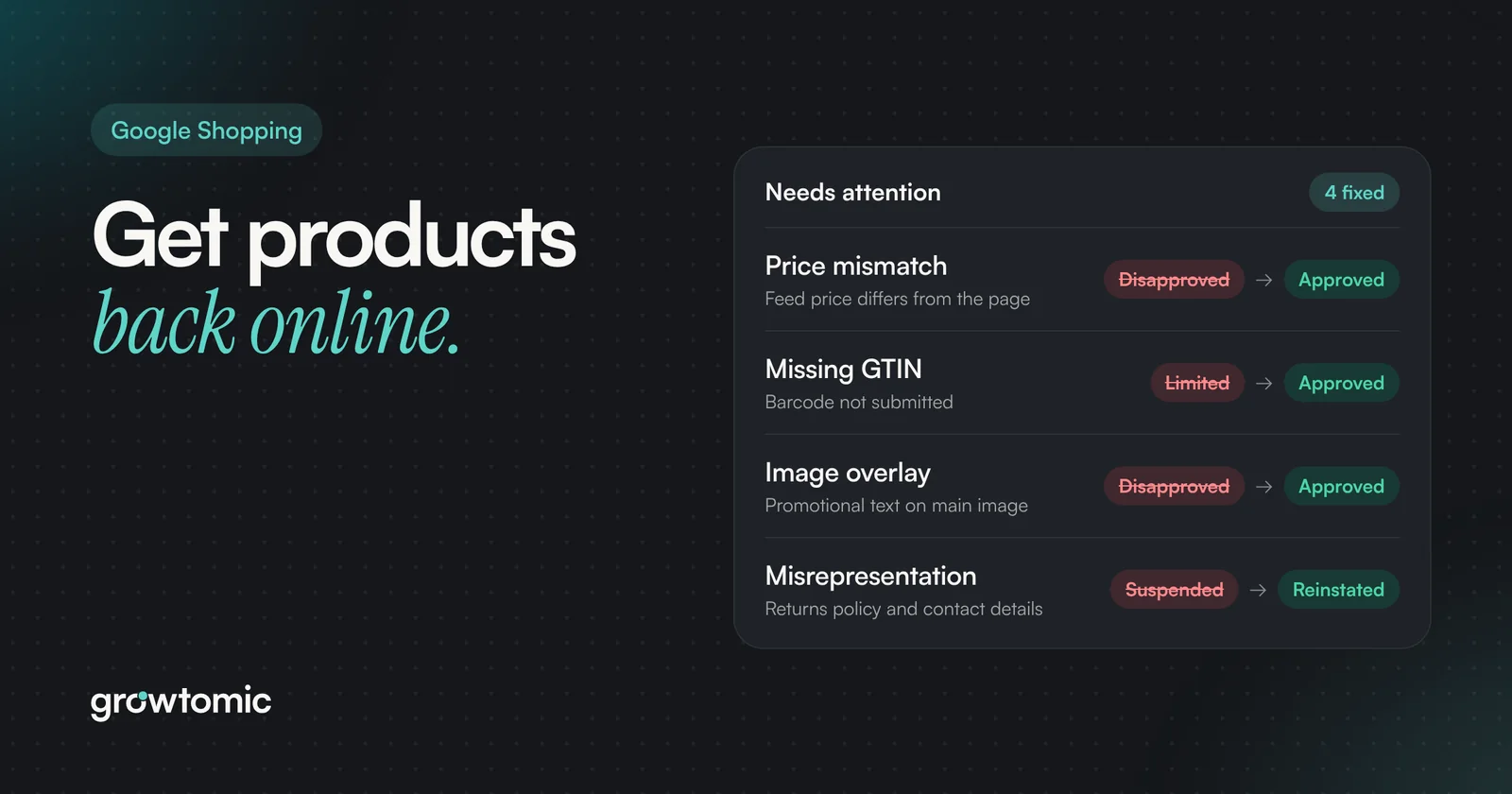
The price and stock status in your feed must match your landing page. Mismatches are one of the most common reasons for disapprovals, and repeated mismatches can put the whole account at risk.
- UK prices must include VAT.
- Use
sale_pricewithsale_price_effective_datefor discounts, so the original price shows struck through and the sale ends on time. - Mark out-of-stock products as out of stock rather than removing them, so they don't lose their history.
- Add Product structured data to your product pages. It helps Google check your prices and stock, and lets automatic item updates fix small mismatches.
Custom labels: bidding on what matters to you
Your feed describes products. It doesn't say which ones make you money. Custom labels fill that gap. You get five (custom_label_0 to custom_label_4), and you can use them to split campaigns and listing groups.
| Label | Example values | Why it helps |
|---|---|---|
| Margin band | high, medium, low | Set a lower ROAS target on high-margin products, higher on low |
| Bestseller | top-50, rest | Protect budget for proven products |
| Season | summer, winter, all-year | Push seasonal ranges at the right time |
| Price band | under-25, 25-75, over-75 | Different bids for impulse buys and considered purchases |
| Performance | no-impressions, active | Give products Google ignores their own budget |
Keep each label to a few values. A label with 40 values is impossible to manage.
Shipping and returns
Delivery cost and speed show on your ads and listings, and shoppers compare them. Set shipping rates and delivery times in Merchant Center rather than leaving them blank. Add your returns policy so return windows can appear too. Free delivery or fast delivery is often a stronger selling point than a small price difference.
How to test feed changes
There's no built-in A/B test for feeds, so build your own:
- Pick a group of similar products and change one thing, such as the title formula.
- Leave a similar group unchanged as your control.
- Compare impressions, click-through rate and conversions for both groups over two to four weeks, against the same period before the change.
- If the changed group improves and the control doesn't, roll it out.
Change one thing at a time. If you rewrite titles, swap images and change bids in the same week, you won't know which one worked.
Quick checklist
- Titles lead with brand, product type and the attributes people search for
- Correct GTINs on every branded product
- Large, clean main images with no overlays
- Consistent, detailed product_type paths
- Prices and stock match the landing page, with structured data on product pages
- Custom labels for margin and bestsellers at least
- Shipping times and returns policy set in Merchant Center
A good feed also helps you in free listings and in AI shopping results, which pull from the same product data. If you'd like us to go through yours, it's the first thing we look at in our Google Shopping service.
Questions
How often should my feed update?
At least daily, and more often if prices or stock change during the day. Most Shopify feed apps sync automatically when products change.
Should I write titles differently for Google?
Usually, yes. Your store titles are written for people already on the page. Google titles need the search terms up front. Feed rules or a supplemental feed let you do this without changing your site.
Do descriptions matter?
Less than titles, but Google does read them. Write a clear, factual description with the main features, materials and uses. Avoid promotional text and keyword lists.
Written by
Matthew DaviesMatthew is co-founder of Growtomic and an ecommerce conversion specialist. He runs Google Shopping, CSS and PPC accounts for our clients and for ecommerce stores of his own.
LinkedInShopping and Performance Max that pay back. Start with a free audit.